- Genre
- Idle tycoon / restaurant management / simulation
- Platform
- Any modern WebGL browser (desktop, tablet, phone, foldable)
- Engine
- Isometric Three.js, no build step, pure ES modules
- Mode
- Single-player, persistent shop. No leaderboard, no runs.
- Save
- Auto-saved server-side · 3 named manual save slots
- Controls
- Tap to walk · pinch to zoom · drag to pan · tap a build chip then tap a tile
- Price
- Free
Build It. Cook It. Serve It. Fast.
Crazy Fast Food is a small browser-based idle tycoon built around one fantasy: the cartoon fast-food joint you'd design if you ran the chain. Start with two hundred dollars, a tile of bare floor, and your own two feet. Drop a grill. Cook a burger. Drop a cashier counter. Serve a customer. Take their money. Buy a fryer. Take more money. Hire someone so you don't have to do it yourself.
There's no leaderboard, no run timer, no game over. The shop you build is yours, persisted on the server every few seconds. Come back tomorrow and your line is exactly where you left it. Three named save slots let you fork your shop, try a risky layout, and roll back if it crashes the lunch rush.
The core loop
You play a small voxel-style avatar that walks the floor on tap. Stand on a grill to cook a burger (a few seconds), stand on its output to pop the burger onto your head-stack, walk it to the cashier and drop it into the cashier's stack. Customers spawn from the front door, queue at a cashier, take a burger, then either sit at a table and eat (leaving trash behind for you to bus) or take it to go.
At first, you are the only worker. The whole game runs through your feet. Then you build an HR desk, hire a cook, and watch a tiny employee path-find their way to the grill and start turning out burgers without you. Hire a cashier, then a busser, then a cleaner — and gradually you go from line cook to floor manager to absentee owner with a queue out the door.
What you can build
The build menu is organized into four tabs — Kitchen, Service, Dining, and Architecture. Every station is a 1×1 tile on a 24×16 grid that grows as you expand the shop. Stations rotate; the cashier's slot, the grill's output, and the drink dispenser's spout all matter for adjacency.
Kitchen
Grill, fryer, drink dispenser, combo bar, ice cream machine. Each has a paired stack station that buffers cooked items so your employees don't bottleneck on hand-off.
Service
Cashier counter, drive-through cashier, HR desk. The HR desk unlocks hiring and is required for every employee in the shop.
Dining room
Tables seat customers who eat in. Trash cans receive bussed plates and full trays. Customer satisfaction goes up the faster you clean — and the longer the line, the more spawns the shop accepts.
Architecture
Half-walls, full walls, doors, desks, file cabinets, conveyor belts, belt corners, and one-way arrow tiles for steering foot traffic. Walls separate the kitchen from the dining room visually; belts move cooked items across the floor without an employee carrying them.
Employees
The HR desk unlocks hiring. Each employee has a role and an assigned station; they walk on their own, prioritize work autonomously, and carry items on a head-stack just like you do. Hire too few and the queue tails out the door. Hire too many and your wage bill eats your margin. Watching the books panel and tuning your roster is most of the late-game.
The drive-through
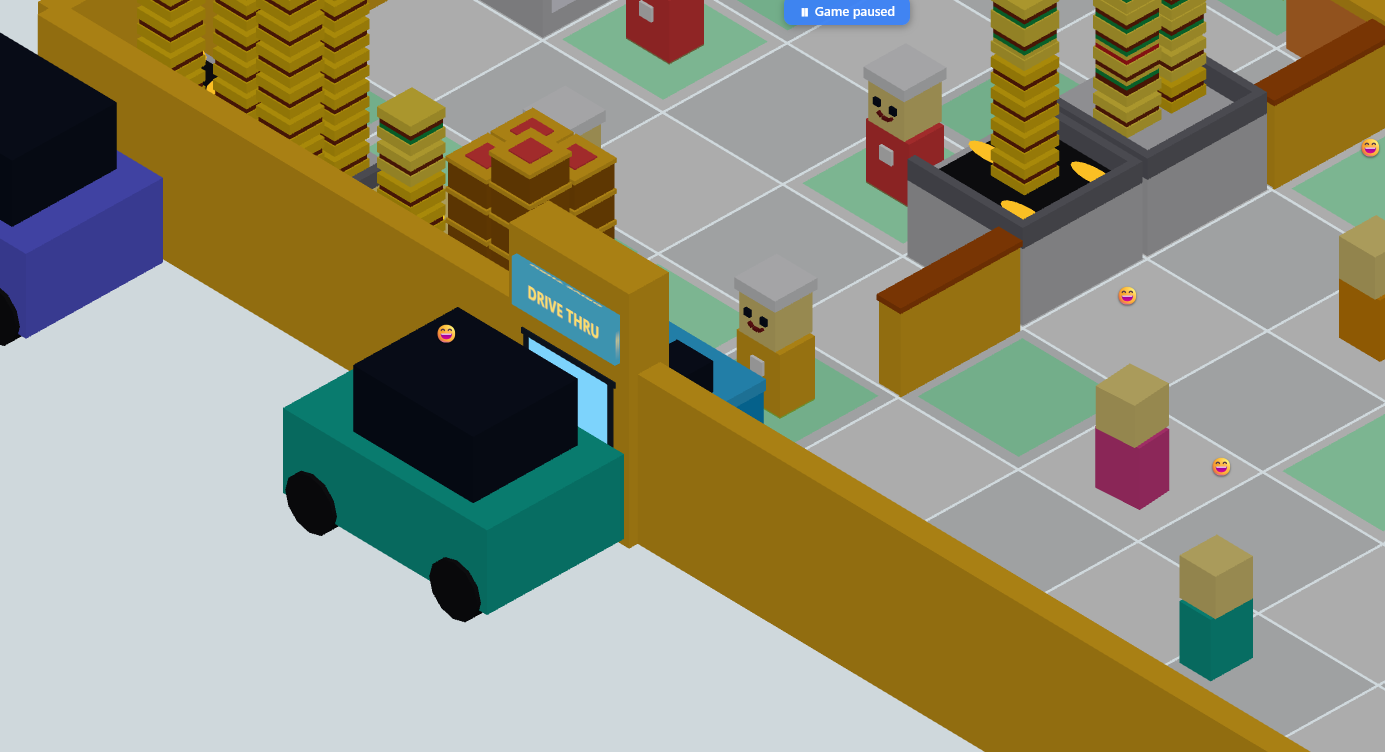
Build a drive-through cashier on an outer wall, drop a DT prep station behind it, and customers in cars start queuing up outside. Drive-through customers have less patience than walk-ins but a higher ticket value — they almost always order combos and add a drink. Cars enter, queue, get served at the window, then drive away. The whole lane is on a separate set of tiles and a separate spawn schedule from the walk-in door, so a busy dining room won't starve your drive-through line (and vice versa).
Menu progression
You start serving plain burgers at $5 a pop. Build a fryer and unlock fries; build a drink dispenser and unlock drinks. The real economic unlock is the combo bar — a station that consumes one burger + one fry + one drink and outputs a combo meal that sells for more than the parts combined. Late game adds an ice cream machine for desserts and dessert combos. Every menu item has its own stack station so combos don't deadlock waiting for a single scarce ingredient.
Save slots and persistence
Your shop is auto-saved on the server every few seconds — every cash increment, every station placement, every employee hired. There's nothing to save manually for the basic flow. The three named save slots are for snapshots: capture your shop's entire state (cash, every station, every employee, every upgrade, your full ledger history, even the diners currently mid-queue) and reload it later. Handy for experiments — clone your slot, try a risky layout, and roll back if it tanks the lunch rush.
Start new game is the safe wipe path: it forces you to save into a slot first, then resets to the starter shop. The classic Reset shop is the unsafe wipe — no slot required, no undo. Both refund you back to the $200 starter wallet so you can build something different.
Controls in full
- Tap an empty tile — walk there. Path-finding routes around stations and walls.
- Drag the canvas to pan; pinch (or scroll-wheel) to zoom. The isometric camera is fixed-angle; you cannot orbit.
- 🔨 Build button → pick a category and a chip → tap a tile to place. The ghost preview shows whether the tile is buildable and how the station will be rotated. Tap R (or the on-screen rotate button) to rotate before placing.
- ✎ Edit button → tap any placed station to inspect it, rotate it, or demolish for a 50% refund. Edit mode also pauses every sim tick — use it before you hard-refresh after a code change.
- ▲ Upgrades button or the drawer menu → spend cash on carry capacity, walk speed, cook speed, and per-station upgrades.
- ⏸ Pause chip on the topbar — fully pauses the sim, including customer arrivals.
- 👥 OPEN / CLOSED chip — close the shop to stop spawns but keep the existing line walking out cleanly.
Books panel and economy
The drawer's Books panel breaks down your numbers across four windows — Today, This Month, This Year, and Lifetime — so you can tell whether last hour's tuning actually moved the needle. Revenue, expenses, wages, customers served, average ticket, peak queue length: it's all there. Behind the scenes the server caps cash earnings at twenty thousand per minute as a sanity rail; you'll never hit it in normal play, but it bounds the worst-case if anything goes wrong on the client.
Visual style
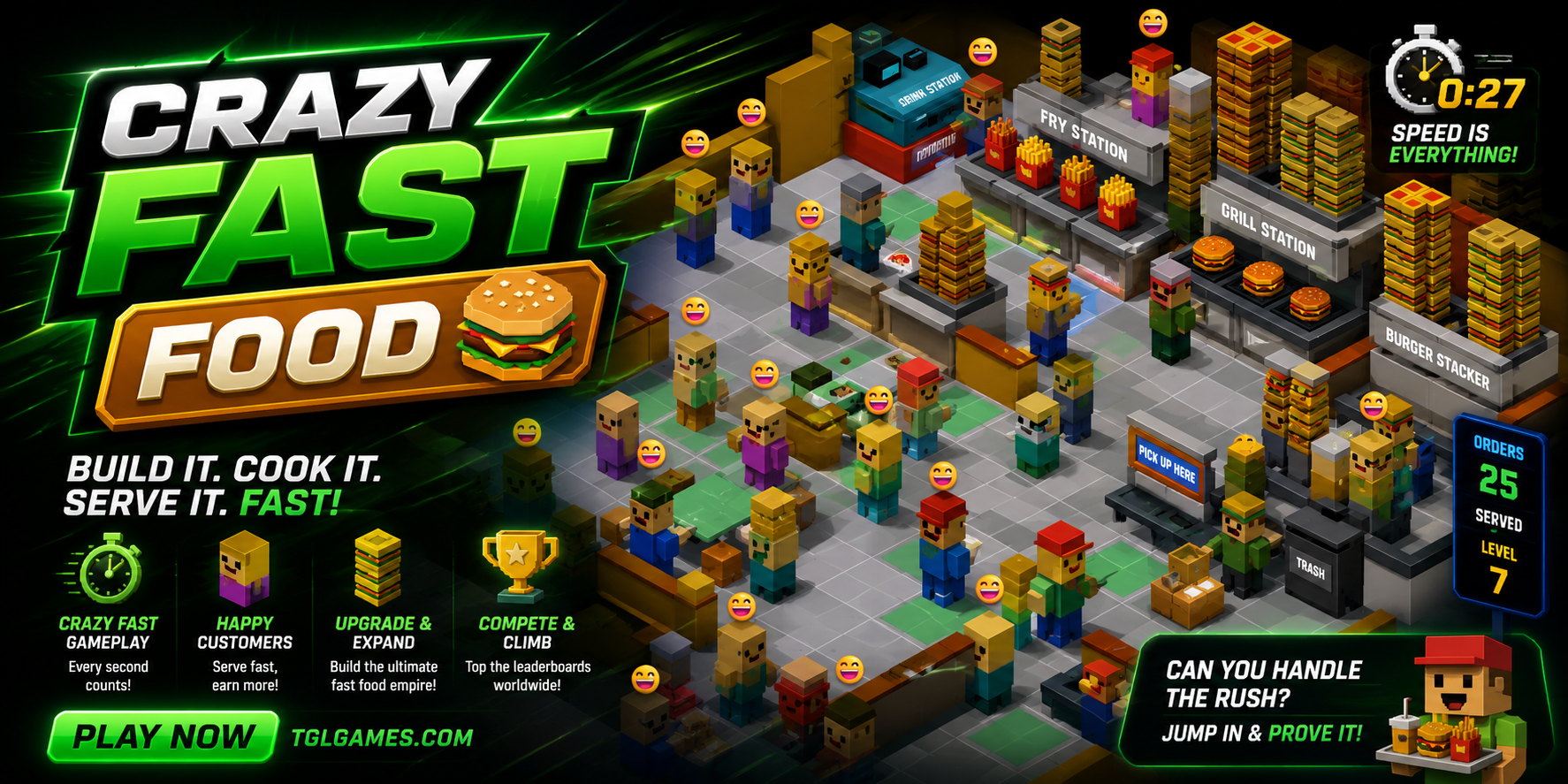
Voxel-style cartoon aesthetic. White tile floor, yellow walls, red-and-orange counters, low-poly customers and employees with emoji-style happy faces. Stations are intentionally chunky and readable from the fixed isometric camera — you can tell a grill from a fryer at a glance even with the whole shop on screen. Light and dark themes both supported (the topbar theme toggle persists site-wide).
Privacy and signup
Guests get a generated handle on first visit and can start playing immediately. No account is required to save your shop — the server binds your shop to a signed session cookie. No tracking pixels, no analytics SDK, no third-party scripts, and no payment processor anywhere on the site.
Frequently asked
Is there an ending?
No. Crazy Fast Food is an open-ended sandbox — the goal is the shop you build, not a finish line. Some players cap out cash early and switch to optimizing for the prettiest layout; others chase the biggest possible drive-through line.
Does the game keep running while I'm away?
It's a real-time idle game — when you reload, the server credits you for a small "offline" tick based on your last save, but it does not fully simulate hours of away time. The intent is "pop back in and the shop is still there," not "earn millions overnight." That's a deliberate design choice.
Can I share my shop with a friend?
Not yet — shops are private to your handle. You can screenshot, of course.
Will there be more menu items?
Probably. The combo bar and ice cream machine were the most recent additions; the engine supports adding new station kinds without breaking existing saves. If a new station ships, your shop keeps loading exactly as before.
Does it work offline?
No. The server is authoritative on cash, customers served, and your station layout. The game needs an active connection to tick state and to credit your sales.
Why is my game frozen after a refresh?
If a developer is mid-deploy you'll briefly see a green "Maintenance — refresh me" banner. Hard-refresh once it clears. If the freeze isn't transient, open the browser console; the loop is wrapped in a try/catch that prints a diagnostic line with the phase that threw.